Courtside IQ: Evidence-led basketball commentary on AWS
TEAM7 · 技术犯规 · NBA Hackathon
We did not make the finals, and that was disappointing. I want to carry forward the useful work from the project: Courtside IQ, a basketball commentary workspace where a human host leads and AI helps prepare short, sourced prompts. The competition had a 12-hour limit; this page documents the project as it exists in the repository.
I wanted to explore a practical builder question: when a host pauses a possession and asks, “What changed here?”, can software make the answer easier to check and easier to tell? A useful assistant needs to connect the player, the event, the data, and the frame the audience is actually seeing.
Explore the source code · Watch the experimental public program · Read the builder article · Read the reflection on losing focus · Explore six architecture flows
The demo runs in an experimental environment and may become unavailable. The repository and the architecture preserved on this site are the longer-term references.
A desk for the person telling the story
The product starts with an uploaded basketball clip. After preprocessing, the host can select a keyframe, inspect the available player and event evidence, and ask for an explanation. Qwen reads the selected images alongside structured evidence; the reasoning workflow turns that material into short commentary cues. The host can correct an identity, draw on the court, hold a frame, slow playback, or approve a data card.
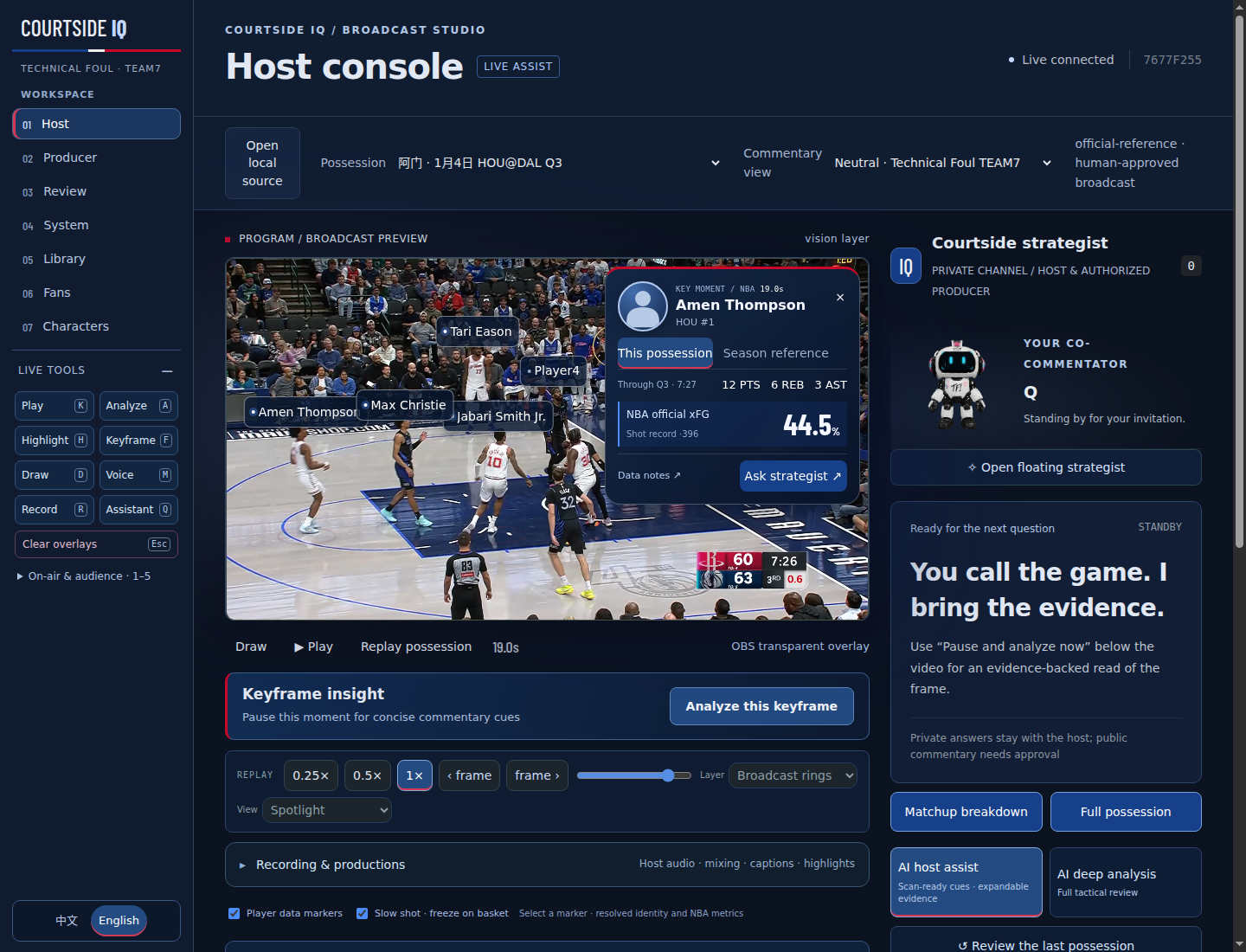
The important interaction is approval. A private suggestion is something the host can question, edit, or discard. Public overlays and synthesized commentary use approved content. This lets the host keep their own voice and pacing while retaining responsibility for what reaches viewers.
There is a difference between writing a plausible basketball sentence and helping someone use it on air. A compact cue, an expandable explanation, and a visible source serve different moments in that workflow. Keeping them connected became a more useful design goal for me than adding another panel of generated prose.
How a frame becomes evidence
The upload path stores media in S3 and uses Step Functions to coordinate processing. MediaConvert prepares video and frames. The vision implementation includes RF-DETR detection, SAM2 segmentation, and ViTPose pose estimation through SageMaker, while Rekognition OCR helps recover visible text. Available outputs depend on the enabled endpoint and loaded models. These observations can be combined with available NBA play-by-play records and roster snapshots.
That combination needs boundaries. A temporary track is an object in a shot; it is not automatically a named NBA player. Official matching covers the snapshots already ingested, and aligning video time with the game clock involves estimates. An unfamiliar clip can retain visual tracks while names and statistics remain unknown. Official records, visual observations, and AI interpretations should stay distinguishable.
For possession analysis, the actual Strands graph is evidence_planner → tactical_analyst → evidence_editor. It checks gaps, develops the basketball explanation, then reviews claims against the evidence. AgentCore hosts the agent application; Bedrock provides model inference. Those are separate responsibilities. The graph implementation is a useful starting point for inspecting that distinction.
The system has not passed an independent accuracy evaluation or a blind test on unfamiliar footage. Successful model calls establish that the path runs; they do not establish that every player, possession, or tactical explanation is correct.
From a host session to a watchable program
A commentary session can become a saved production. The default editing approach preserves the original video, a separate mixed program audio track, and a JSON timeline of holds, playback changes, drawing, and approved overlays. Replay reconstructs that presentation. Exporting a single flattened video in the browser requires re-encoding; it is not a lossless export.
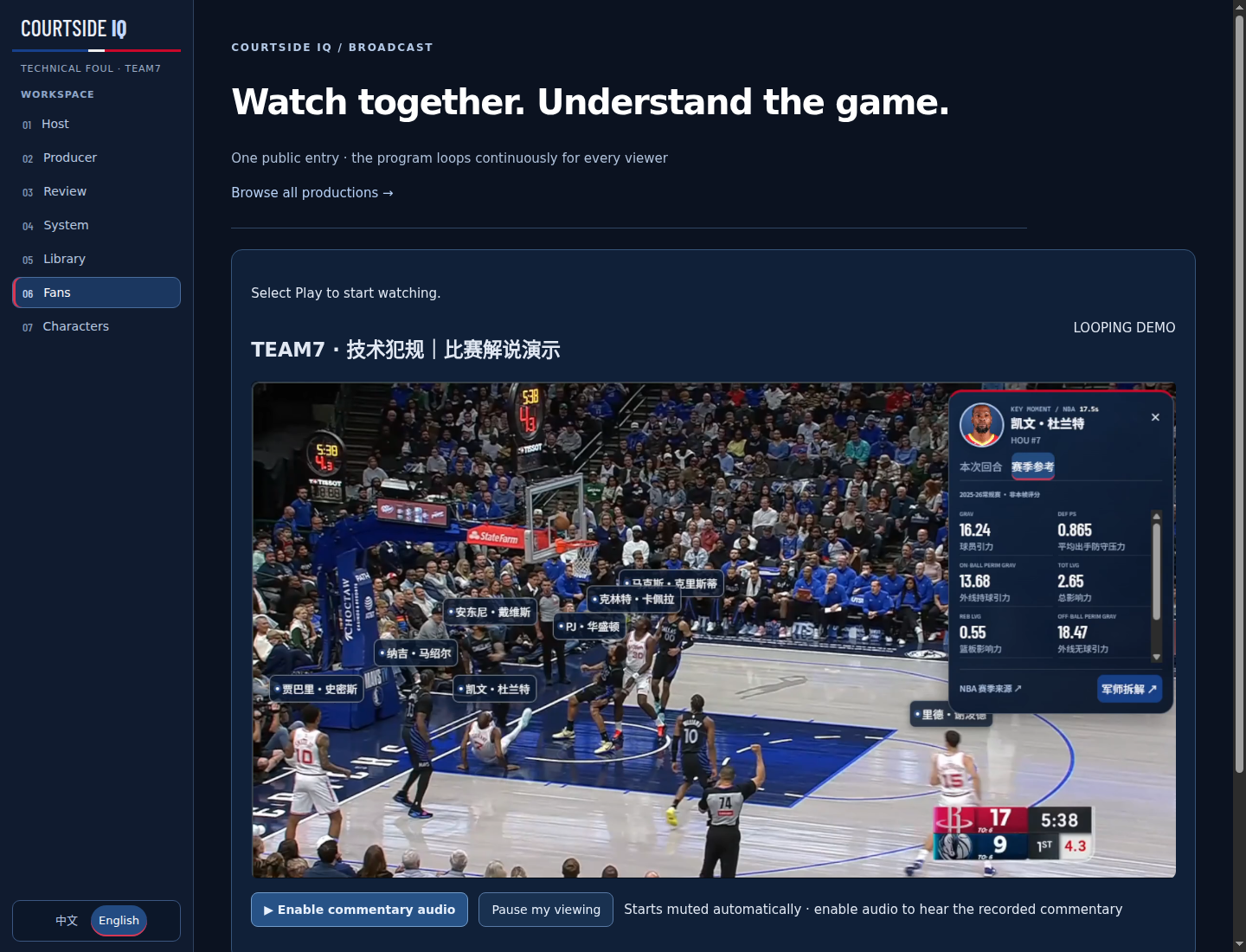
Synced productions appear in a shared library across sessions. The public /broadcast page uses a server program clock to join viewers into a looping recorded program. It is an uploaded-footage experience, rather than a live NBA feed or an IVS/MediaLive broadcast pipeline. That scope still supports a complete story: review a possession, record an explanation, and share the resulting program.
Explore the architecture without the cloud account
This architecture view is a static, self-contained HTML artifact. It does not call the experimental backend or query live AWS resources. Use it to inspect the implemented paths and their boundaries, even when the demo is offline.
Open the architecture in a full page · How the reusable architecture skill works · Download the skill ZIP
What I want to carry forward
The result gives this project a clear ending as a competition entry. As a builder, I still want the work to be useful beyond that result. The next meaningful progress would be a smaller, repeatable evaluation: unfamiliar clips, checked identities and event alignment, and a record of where the assistant helps or misleads the host. More features alone would not answer those questions.
The builder article follows the product and engineering decisions in more depth. The architecture skill guide extracts a reusable method for turning a repository into an inspectable explanation. Together with the code, they are what I want to keep from Courtside IQ: an actual workspace, explicit limits, and material another builder can examine and improve.
A separate reflection
Why I keep losing focus at hackathons despite writing retrospectives examines the priorities behind this project. How did individually reasonable engineering decisions leave the final delivery underprepared? Why did lessons I could explain afterward fail to limit scope during development? The implementation article covers the technical choices; this essay asks whether I should have prioritized them in this entry.