② The Hand Is Here — First, Make It Not Move: SDK First Contact and the Safety Layer
Part 2 of the series · Previous ① · Overview · Next: ③ Webcam teleoperation and Kapandji
September 5, 13:39: the physical hand goes on Ethernet. 15:01: it is following the human hand in the webcam. The 80 minutes in between are this article — how to connect, how to isolate the environment, and which layers of insurance to wrap around the hand before letting it move. The unit is a left hand, firmware 3.2.5, SDK 1.5.2.
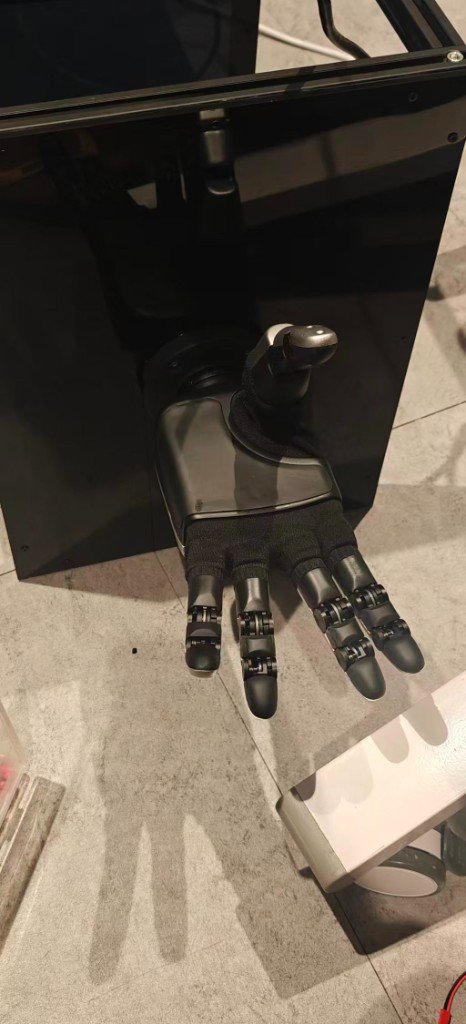
0. What You Need
- An Apex Hand, an Ethernet cable, a gigabit port (forget Wi-Fi; RTT must stay ≤5 ms).
- Ubuntu 22.04 with Python 3.10 (the official SDK's
.sois built for 3.10; the Isaac side is 3.12, and the two must not mix). - The official SDK source: RysenRobotics/Rysen_SDK, kept in
third_party/Rysen_SDK/(not committed). Official docs: Apex Hand getting started. - Rysen also ships Rysen Explorer (a Docker-packaged ROS2 backend plus web front end). If you only want to see the hand move, use that; we needed to attach policies, so we went straight to the Python SDK.
1. Subnet and IP
The factory default lives on 192.168.0.x:
| Address | TCP | |
|---|---|---|
| Factory · right hand | 192.168.0.103 | 5856 / 5857 |
| Factory · left hand | 192.168.0.102 | same |
| Our left hand (changed) | 192.168.88.200 | same |
The fastest way to reach a factory-fresh hand for the first time is to add a temporary alias to the wired NIC, without touching system network settings:
sudo ip addr add 192.168.0.50/24 dev enp109s0
ping -c 2 192.168.0.102
Ours arrived at 192.168.0.2, which did not match the venue subnet. The SDK has an API to change the device IP; we pinned it to 192.168.88.200 on the local subnet. Every script then reads the APEX_HAND_IP environment variable by default, with --ip as the override.
2. A Completely Separate venv
cd ~/Documents/apexhand
source env_real.sh          # NOT env.sh
env_real.sh does only three things: activates .venv-apex-real/ (Python 3.10), prepends third_party/Rysen_SDK/rysen_sdk/lib/x86_64 to LD_LIBRARY_PATH, and sets APEX_HAND_IP.
Two rules:
- never
pip install rysen-sdkinsideisaacsim-env; - never install anything Isaac inside
.venv-apex-real.
The system-level dependencies spdlog / fmt / boost were already on our machine, so import rysen_apexhand_sdk just worked; if a library is missing, run the vendor's install_rysen_deps.sh.
3. Read-Only Smoke Test: Connect, Read Joints, Move Nothing
python scripts/real_sdk_smoke.py # IP defaults to APEX_HAND_IP
In order it does: ping → probe TCP 5856 / 5857 → Rysen().connect(ip, ETHERNET) → read get_joint_states() five times → disconnect. By default it produces no motion at all; moving anything requires an explicit --wiggle --i-know-what-im-doing, and even that branch in v1 only points you to the vendor's example.py.
You should see:
=== network ===
ping 192.168.88.200: OK
tcp 192.168.88.200:5856: OK
tcp 192.168.88.200:5857: OK
=== connect ===
CONNECT_OK
=== read joints ===
[0] JointStates(...)
sdk.get_hand_dir() tells you whether this is a left or a right hand — every later script uses it to pick --side automatically instead of relying on someone's memory.
4. One Joint Table Shared With the Simulator
Part ① established source/pan_dexterous_lab/assets/joints.py as the single source of truth for joint names. The hardware venv cannot install the Isaac package, so real/joint_table.py loads that one joints.py by file path instead of copying it:
Policy output dimension i is therefore the same joint in simulation and on hardware, forever. The day a second joint ordering appears is the day something quietly misaligns — part ⑤ tells the story of one such incident.
real/apex_interface.py is a thin wrapper:
| Method | What it does |
|---|---|
connect() | connects, reads get_hand_dir() and remembers the side |
configure_motion(max_speed, max_accel, finger_torque_pct) | speed and acceleration caps for 21 joints, torque cap (percent) for 5 fingers |
enable() / disable() | power all fingers on / off |
get_actuated_pv() | position / velocity / torque of the 16 actuated joints in ACTUATED_LOGICAL order |
get_finger_currents() | maximum motor current (A) per finger |
set_joint_positions(q16) | sends position targets; coupled joints are copied 1:1 here, never commanded on their own |
5. The Safety Layer: real/safety.py
Every target from a policy or from teleoperation passes through SafetyFilter before the SDK. It does four things.
5.1 Limits with a margin
The firmware's internal cap for 100° is 1.7453 rad, and deg2rad(100) evaluates to 1.74533…, which is larger — an instant out-of-range fault. Every limit keeps a 1 mrad margin.
5.2 The firmware envelope is smaller than the URDF
The URDF gives thumb_j1 an upper limit of 60° (1.047 rad); firmware 3.2.5 rejects it around 0.66 rad. Worse: one joint out of range drops the whole 21-joint packet, so the hand looks like it "randomly freezes". The send path therefore uses the firmware envelope (thumb_j1 ≤ 0.60 rad) while IK still reads the URDF limits; when set_joint_positions gets OUT_OF_RANGE it pulls every command 2° toward zero and sends once more, so the other fifteen joints keep moving.
5.3 Per-tick Δq cap
Teleoperation defaults to --max-step 0.10 rad; policy playback has its own --gain. Vision runs ahead of the motors every frame; without the cap the fingers chase the target at full motor speed — jittery, loud and hot.
5.4 Current relief, not a freeze
This unit has no tactile array; "I hit something" can only be inferred from each finger's motor current. Two lessons:
- The reported current gets stuck at a 449–453 mA fake full-scale rail; unfiltered, the safety layer would believe a finger is in permanent collision —
get_finger_currents()simply drops the 440–460 mA band. - Do not "freeze" a finger on contact (fine for policy playback, wrong for teleoperation — the operator just sees a stuck finger). Instead, current relief: above a finger's contact threshold, its flex joints open by up to
backoff_rad(default 0.04) in proportion to how far over threshold the current is, and close again as it drops; fast attack (0.35), slow release (0.08) so a borderline contact cannot chatter on the ball. Abduction is excluded — it sweeps, it does not squeeze. - But a deliberate pinch and a collision have identical current signatures. The fix is for the layer above to feed forward "how much I intend to pinch right now" and exempt the thumb and index while pinching — current alone cannot tell them apart; part ③ covers it.
6. Making It Move for the First Time: Teleoperation and No-Load Playback
# webcam teleoperation (motors only enabled after Space, Esc quits) — see part ③
python scripts/landmark_teleop.py --side left

# no-load ONNX policy playback: it WILL move; clear the surroundings and start with a small gain
python -m real.policy_runner --gain 0.30 --seconds 12
policy_runner runs the ONNX policy at 60 Hz with the safety layer in the loop the whole time. What we saw on the first no-load run was "the hand twitches slightly and barely moves" — not a sim-to-real gap but a misaligned observation vector; that story is in part ⑤.
The teleoperation on the afternoon of September 5 ran 19 minutes continuously from 15:01 without a drop, which is why we dared to put it on the booth the next day.
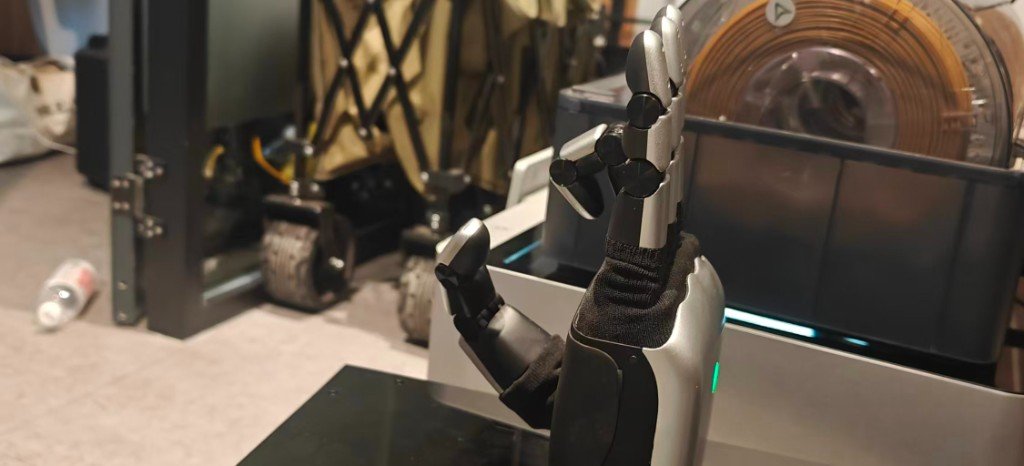
7. Day-One Safety Checklist
- E-stop within reach; the
SafetyFilterfault → open-hand branch is wired. - Check every dimension against the SDK joint names using
joint_map.json(part ⑤). - Sweep each joint open-loop with a small sinusoid to confirm direction and limits — on our first run "open" and "fist" were reversed.
- No load → light load → object.
- Watch currents; stop immediately on any motion that looks like interpenetration.
- Start
configure_motionconservative:--torque-pct 30,--max-speed 3.5 rad/s,--max-accel 40.
8. Acceptance Checklist (Our Actual State)
- Cable in,
pingOK - TCP 5856 / 5857 probe OK
-
CONNECT_OKand joint state printing - Webcam teleoperation driving the real hand (19 minutes continuous)
- ONNX policy no-load playback (60 Hz, safety layer in the loop)
- Palm calibration + closed loop with balls (part ⑤)
9. File Map
| File | Responsibility |
|---|---|
env_real.sh | hardware venv entry point |
scripts/real_sdk_smoke.py | read-only smoke test |
real/joint_table.py | loads assets/joints.py by path |
real/apex_interface.py | SDK wrapper, coupled joints copied 1:1 |
real/safety.py | limit margins, firmware envelope, Δq cap, current relief |
real/policy_runner.py | ONNX playback loop |
docs/REAL_SDK.zh.md | bench notes for this machine |