Six workflows, from a host action to a saved result
TEAM7 · 战术犯规队 / COURTSIDE IQ
Each animation follows one part of Courtside IQ: entering the workspace, preparing media, collecting evidence, asking an agent, recording a program, or supporting operation. Start with the static overview, then select Play animation to follow the highlighted steps. Select Show static overview to stop motion. The images retain their original Chinese labels; the English explanations below describe their responsibilities and limits.
These are logical flows drawn from the repository. They do not call AWS, inspect a live account, or establish that every branch runs for every request. Moving dots illustrate the explanation, not measured latency or throughput.
Project overview · Builder article · Interactive architecture and evidence · Reusable architecture Skill
Read the paths
- Teal, solid: synchronous calls or interaction.
- Brown, dashed: asynchronous work or a durable task.
- Blue, solid: data, files or versions.
- Rose, solid: human review or an independent branch.
A highlighted node marks the responsibility discussed in that step. The overview includes alternatives and supporting relationships; it is not one mandatory sequence through every service.
01 Entry · 02 Media · 03 Vision · 04 Agents and narration · 05 Public replay · 06 Operations
01 Entry and application control
CloudFront · API Gateway · Cognito
CloudFront provides the application entry. HTTP control requests, WebSocket messages and browser speech transcription then take separate paths. Cognito supplies temporary credentials for direct transcription; application session tokens control access to host actions.
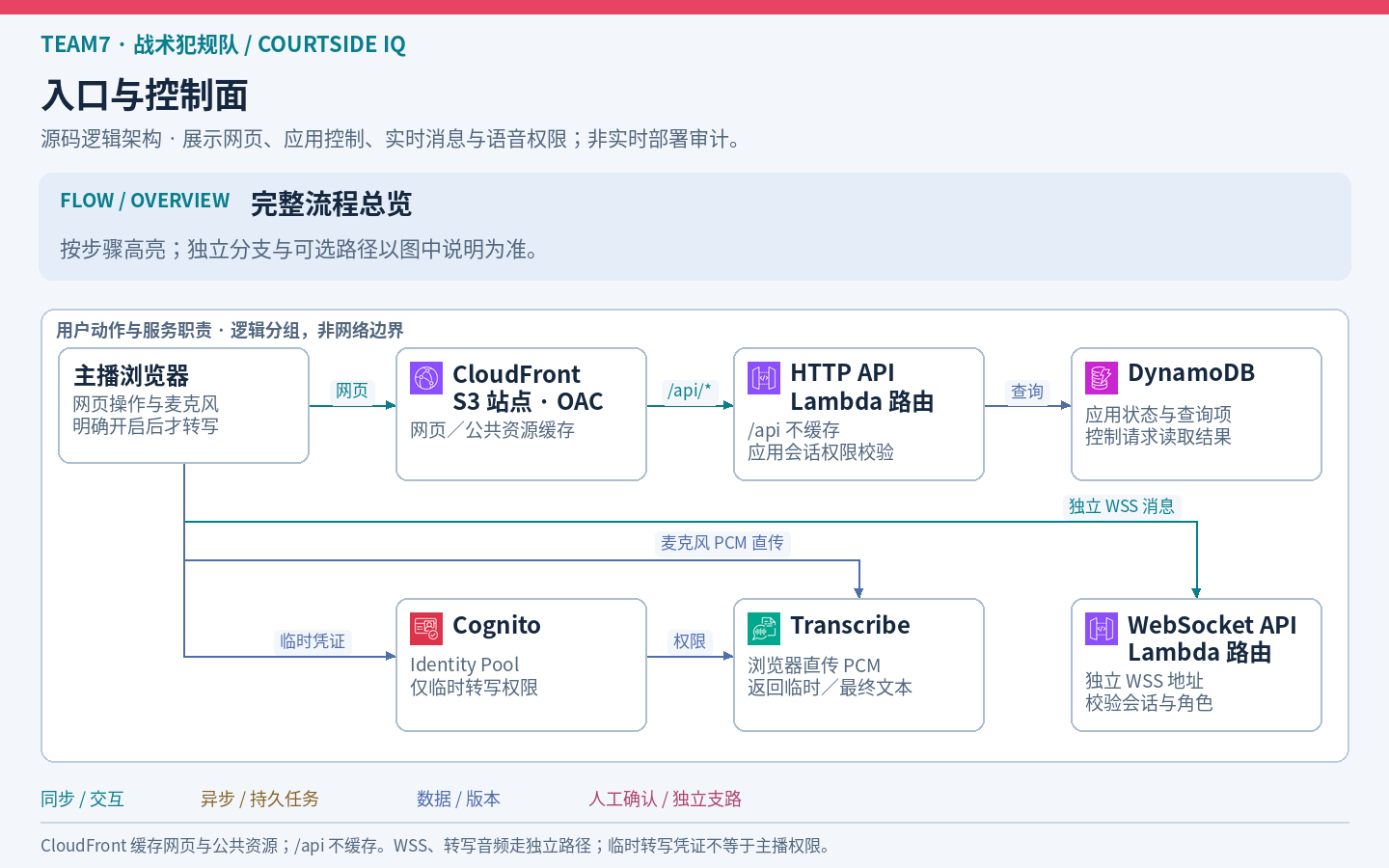
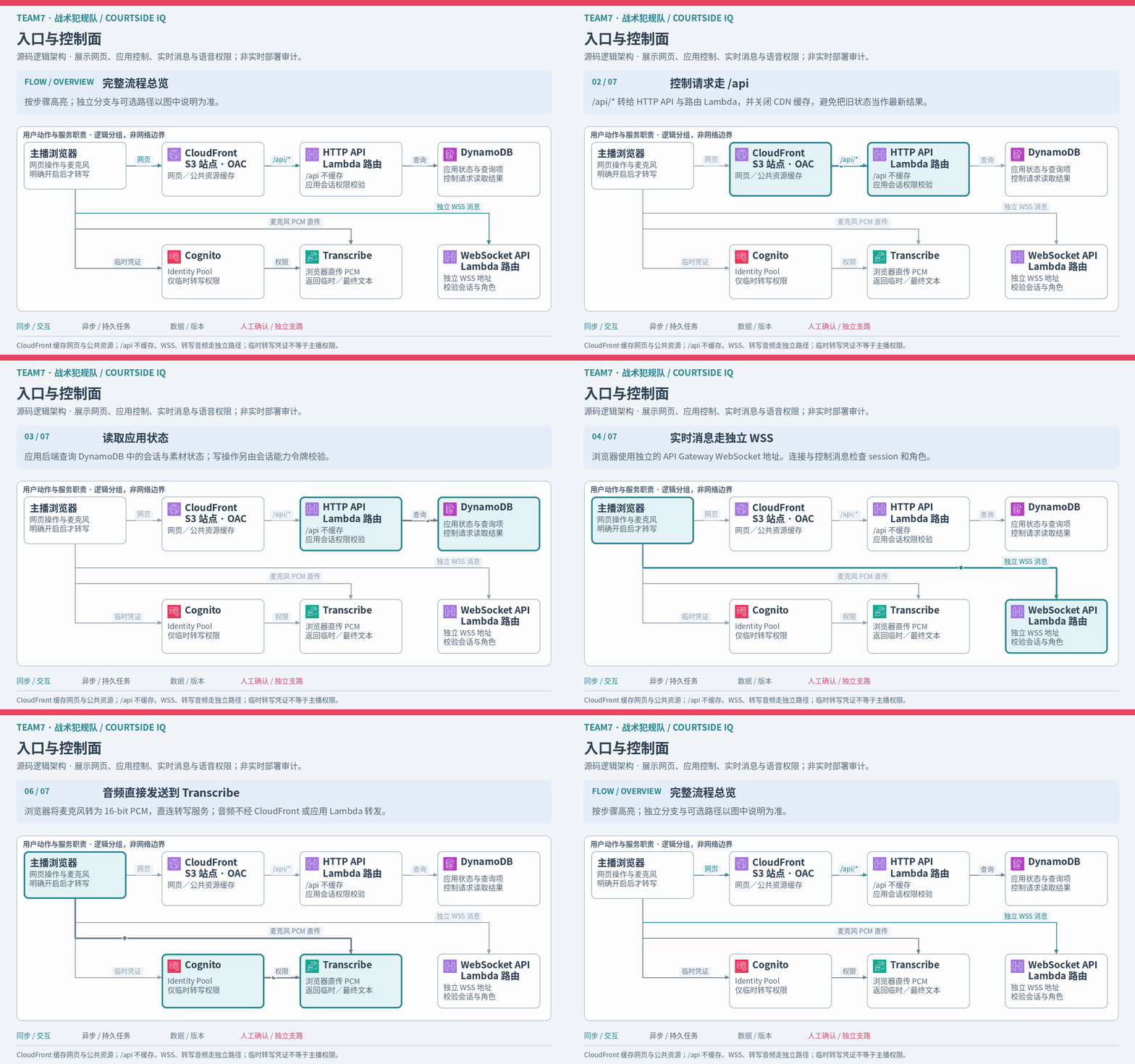
Boundary: static assets are cached, while /api is not. WebSocket messages and transcription audio do not travel through the static-page cache. Temporary transcription credentials do not grant host authority. See the web distribution and browser transcription code.
02 Media jobs and versioned storage
S3 · EventBridge · Step Functions · MediaConvert
Register a clip, upload the original directly to S3, then use its object event to start idempotent processing. Step Functions coordinates stages; MediaConvert transcodes and extracts frames. S3 holds media and versioned analysis artifacts, while DynamoDB holds state and indexes.
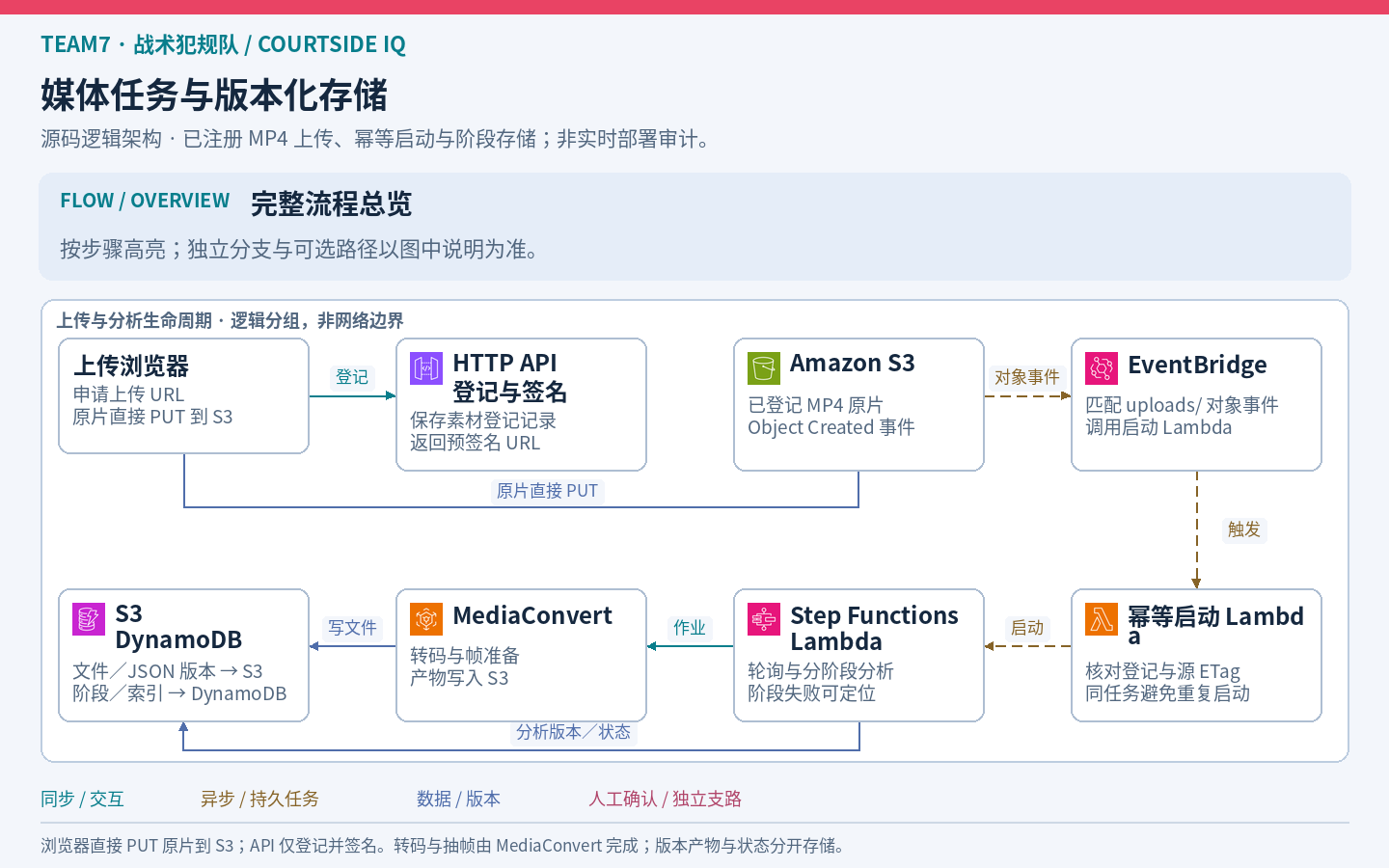
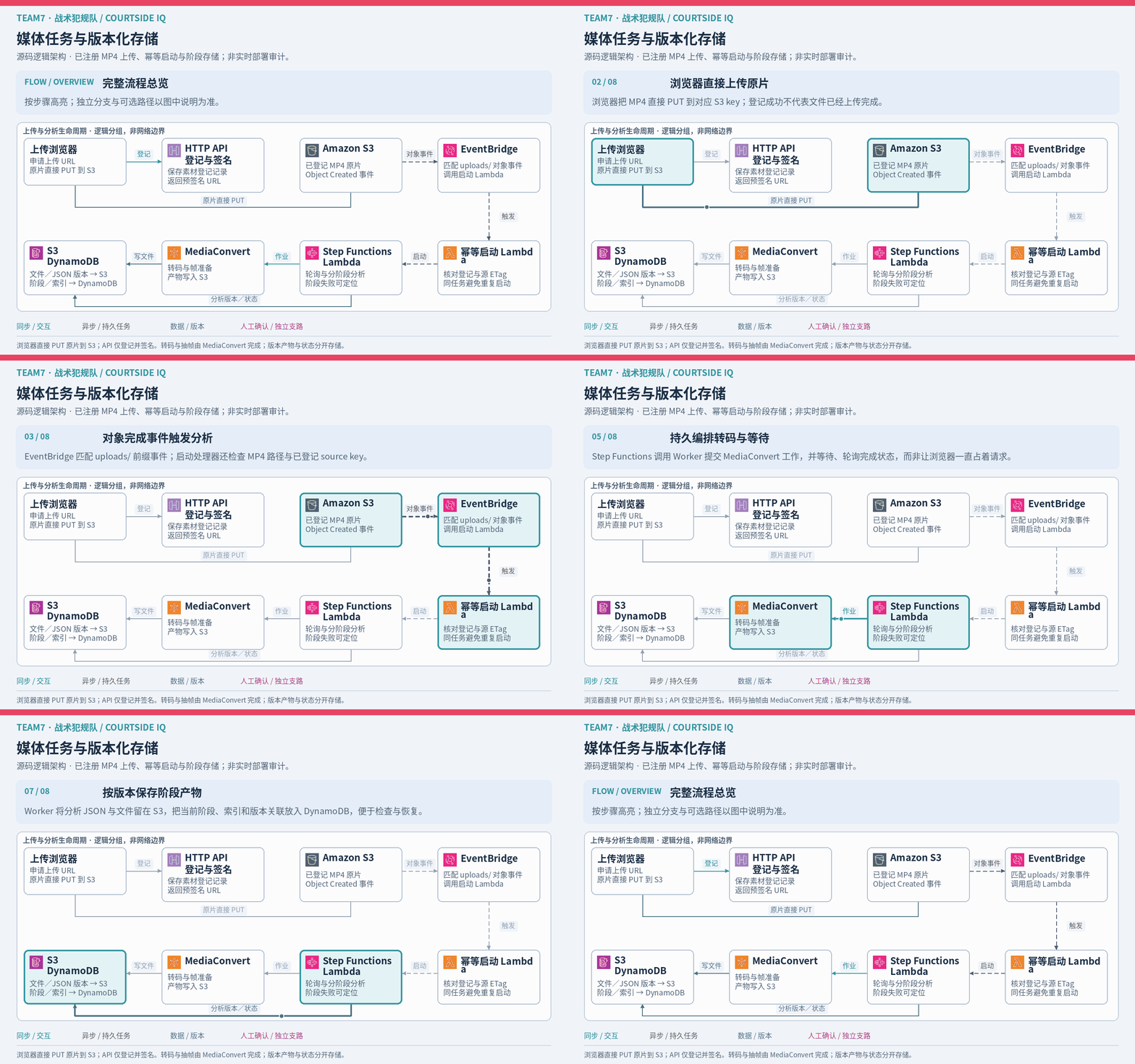
Boundary: the upload path shown is for registered MP4 inputs. The application API registers and signs the upload; the large media file bypasses application Lambda. An object event does not mean every object in the bucket starts analysis. See the pipeline infrastructure and processing workflow.
03 Vision observations and model inference
SageMaker AI · Rekognition · Bedrock
SageMaker runs the custom vision container, Rekognition reads text from sampled images, and Qwen on Bedrock interprets selected JPEGs with structured context. Source times and annotation revisions connect the inputs. Official snapshots remain separate from visual observations and model hypotheses.
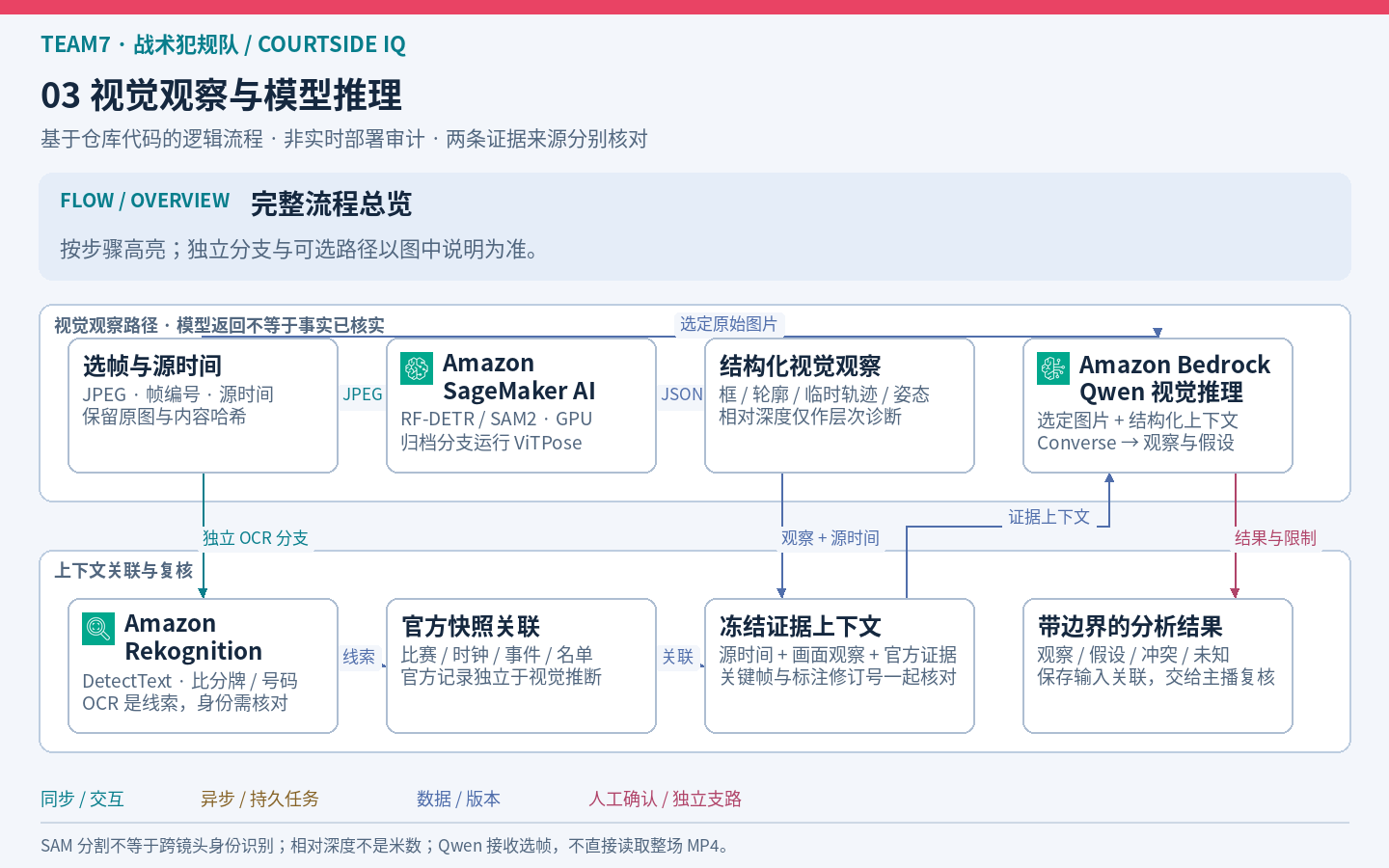
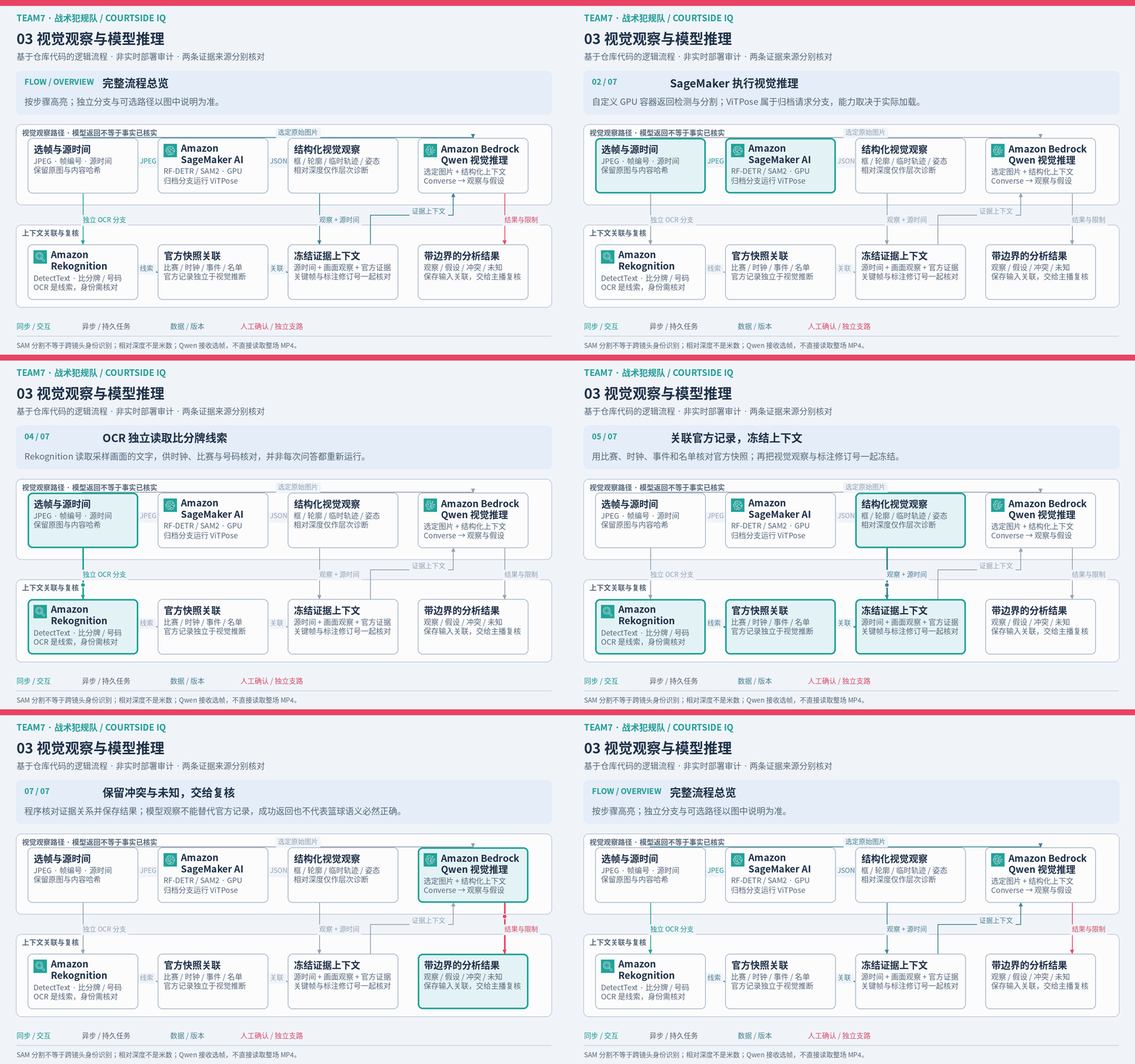
Boundary: ViTPose belongs to archive requests and depends on the model being loaded. A mask or temporary track does not establish an NBA player's identity. Relative depth is not a distance in metres, and Qwen receives selected frames rather than a whole MP4. See the vision server and scene inference.
04 Agent hosting and reusable narration
AgentCore · Strands · Bedrock · Transcribe · Polly
Preparation and paused-frame questions are separate branches. Preparation uses a three-node Strands graph; live questions use a single agent with evidence tools. Scripts preserve their language, annotation revision and text version so a host can edit and approve them. Polly audio can be reused, while Transcribe handles explicitly enabled microphone input.
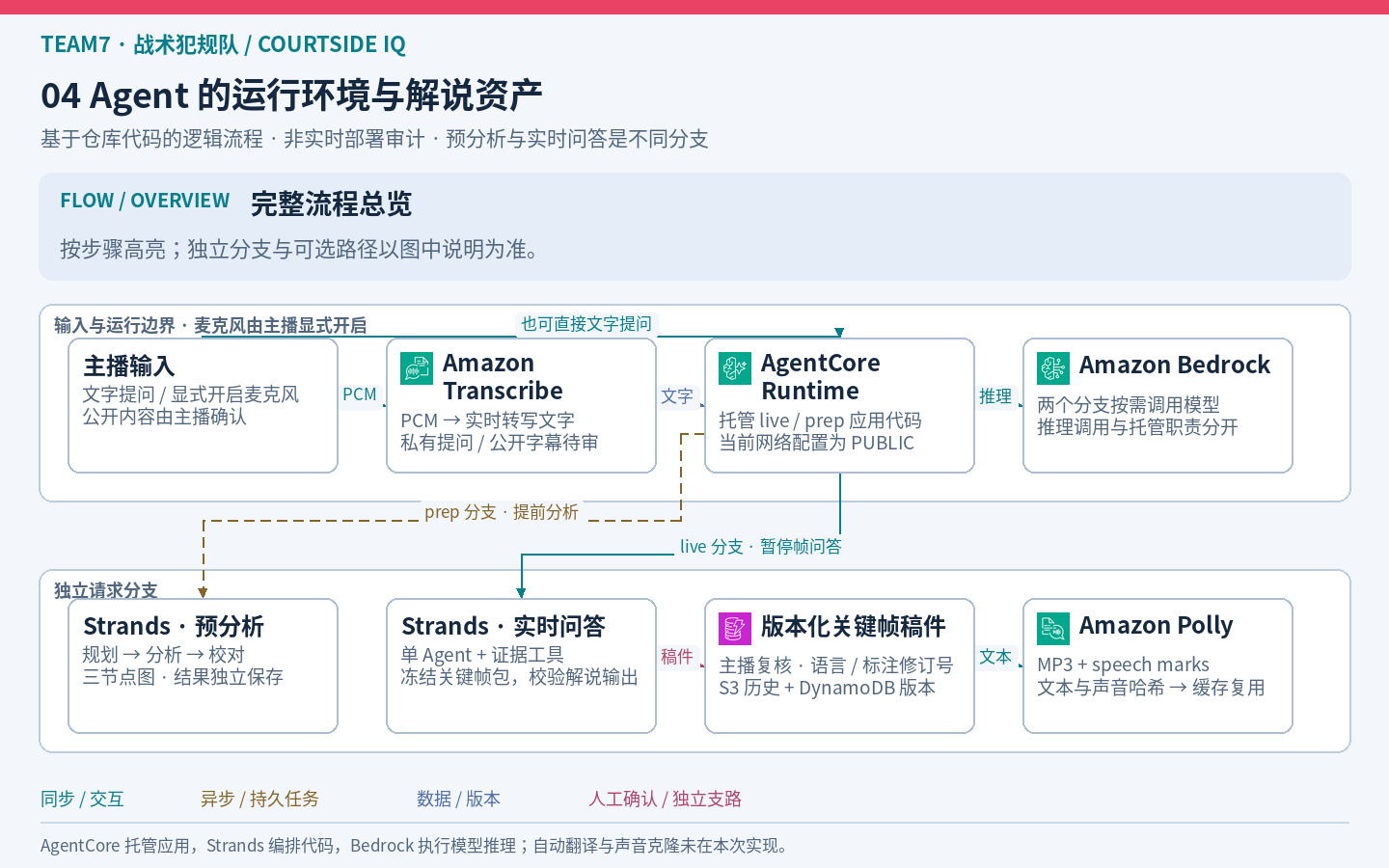
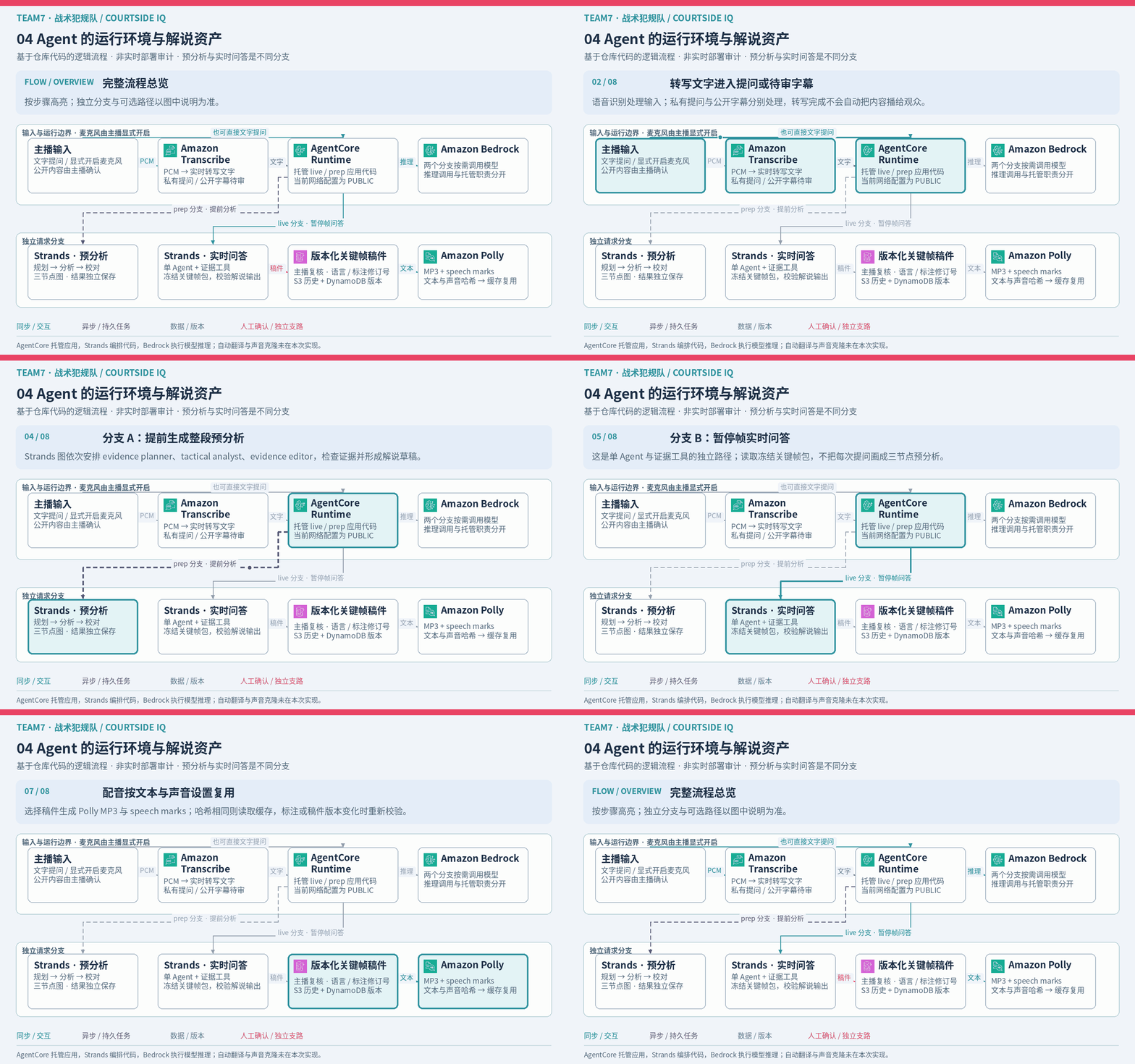
Boundary: AgentCore hosts application code, Strands orchestrates agents, and Bedrock provides inference. The runtime network configuration is PUBLIC, and Claude uses a global inference profile; this is not a VPC-only design. A new AI analysis does not overwrite a reviewed script. Automatic translation and host voice cloning are not implemented. See the runtime configuration and versioned narration assets.
05 From browser recording to public replay
Web Audio · S3 · DynamoDB · CloudFront
The browser saves the original video, a fixed program audio mix and JSON presentation records separately. Uploaded files must pass integrity checks before the production becomes READY. A selected production then follows a shared server clock, allowing viewers to join the looping recorded program at its current position.
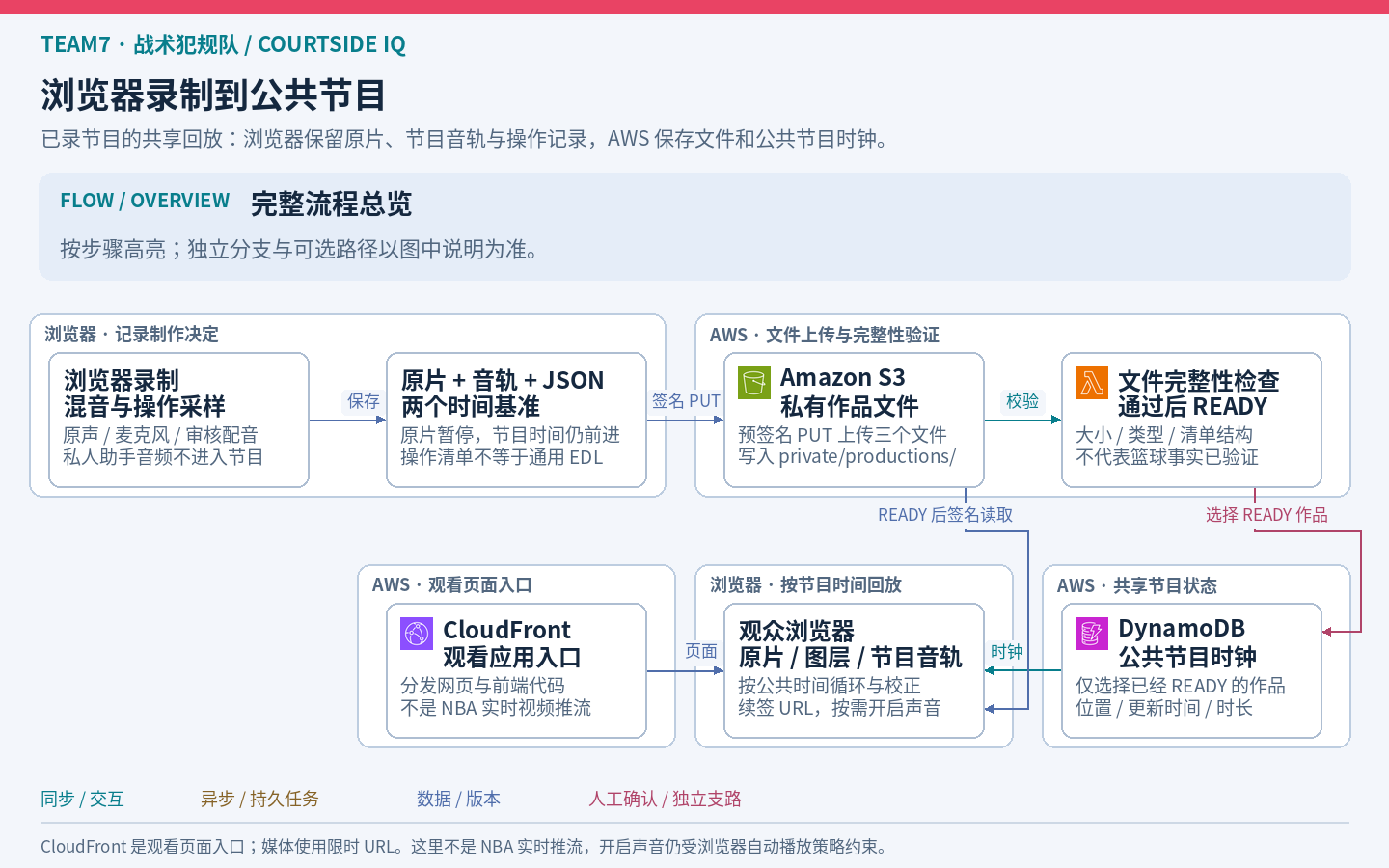
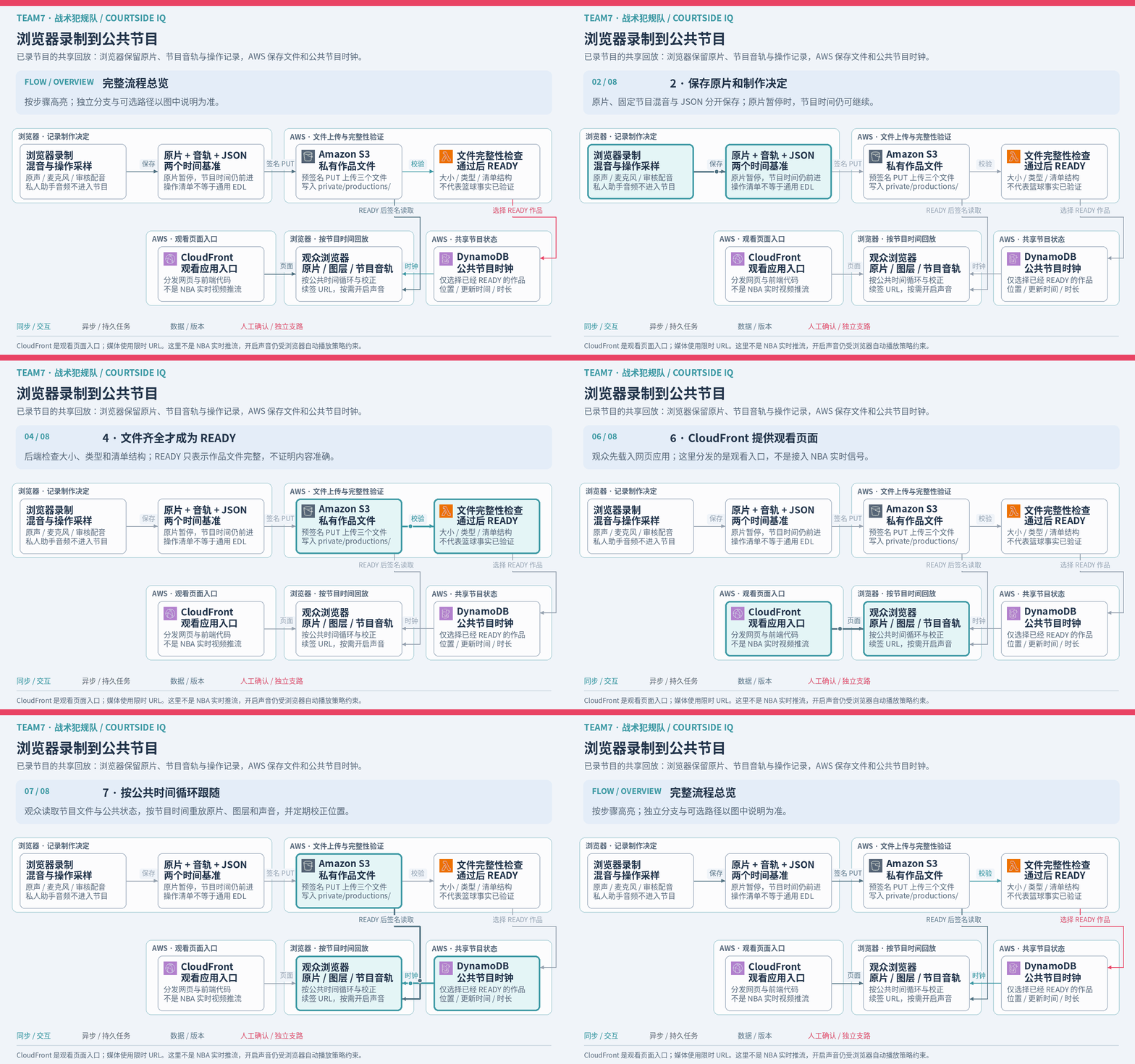
Boundary: READY validates file completeness and structure, not basketball accuracy. The custom JSON requires the application's player; it is not a standard EDL interchange format. CloudFront serves the viewing page, while expiring signed URLs deliver media. Playback renews URLs, and audible autoplay still follows browser policy. A flattened video requires rendering and encoding. See production validation and public playback.
06 Operations and optional external tools
IAM · Secrets Manager · CloudWatch · SQS · Roboflow · Tripo
Permissions, secret access and logs support application operation. Failure retention, optional external image diagnostics and character asset creation have their own branches. Their order in the animation is a teaching sequence, rather than a chain called by every request.
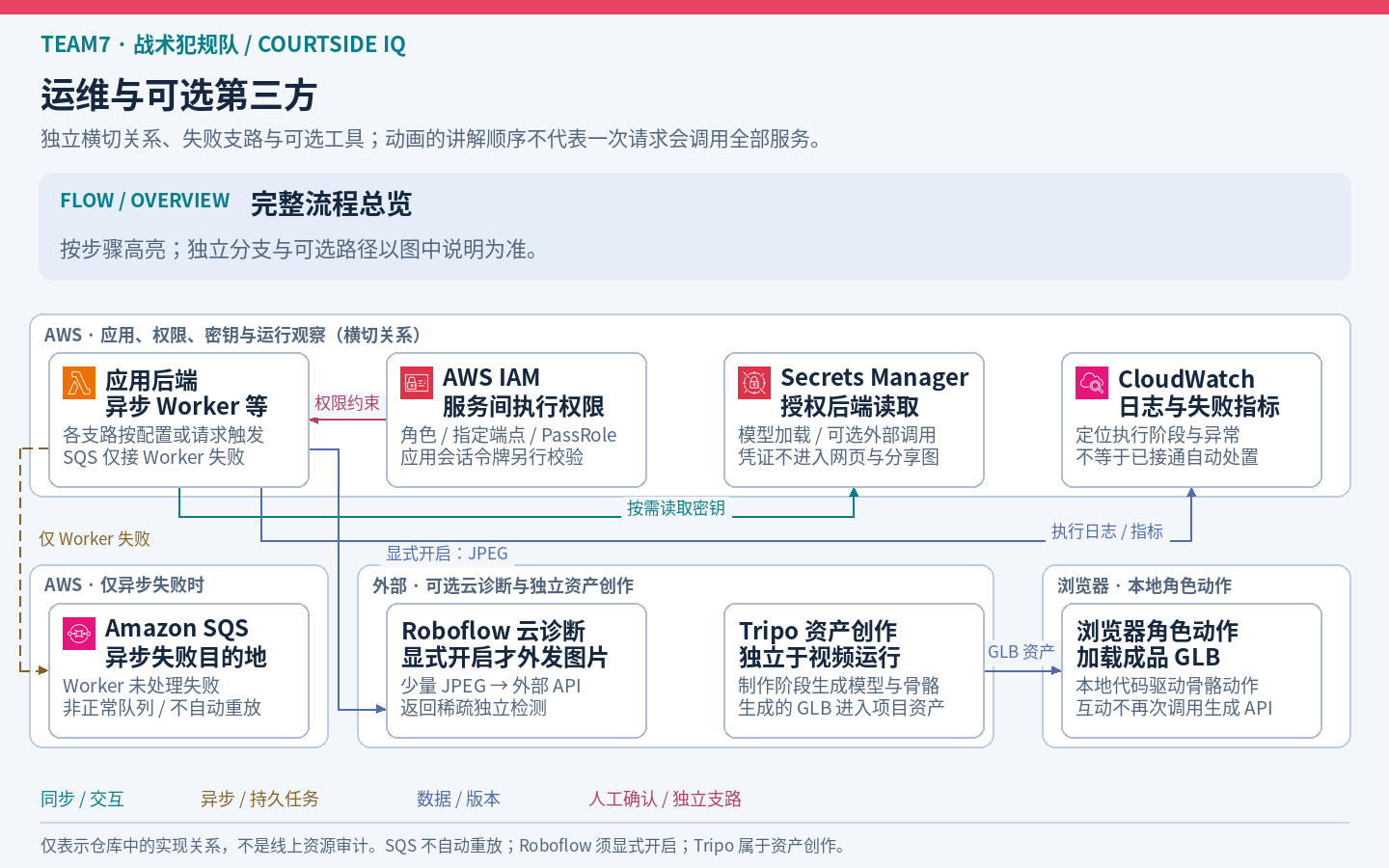
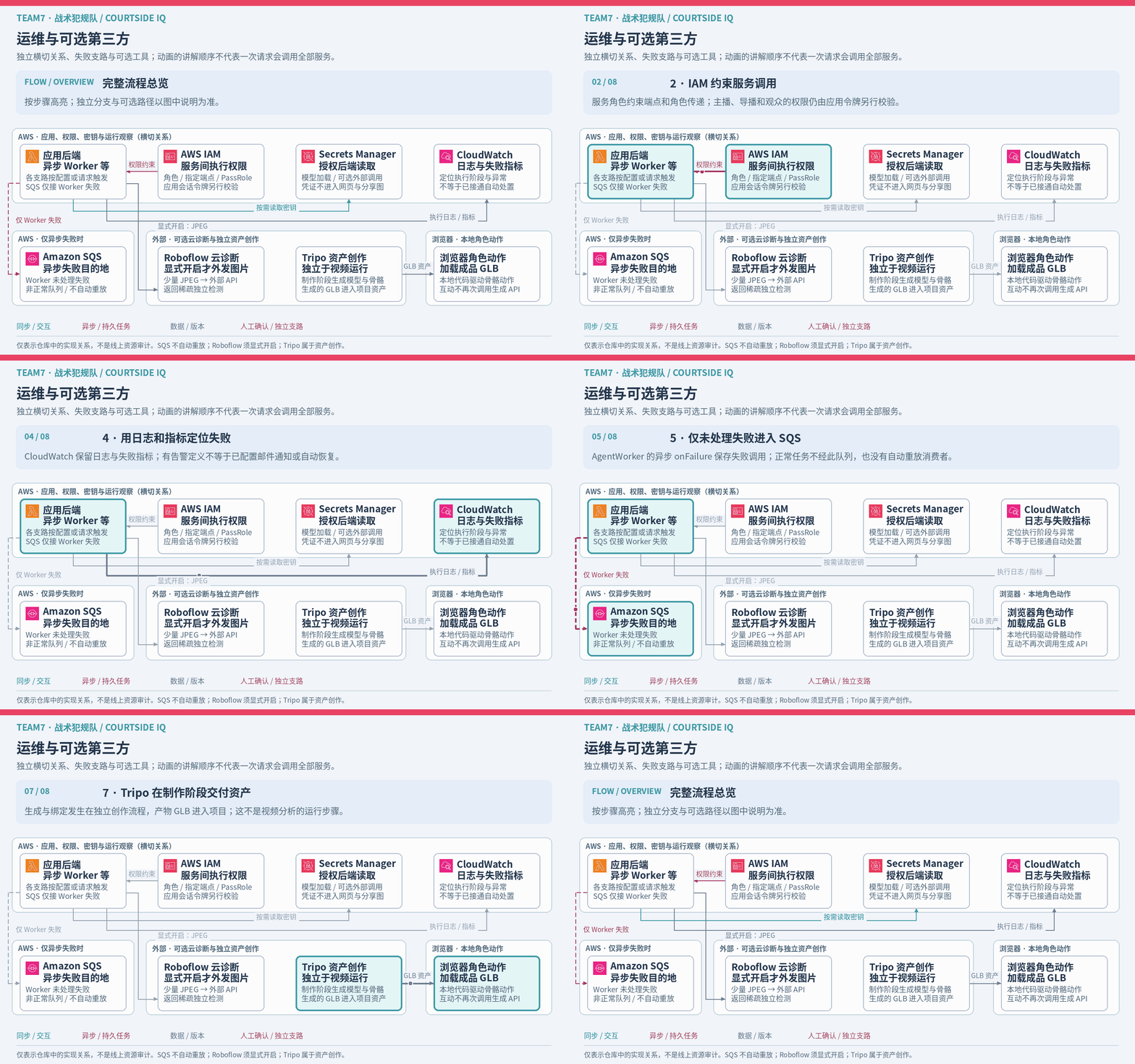
Boundary: SQS retains unhandled asynchronous Worker failures and does not automatically replay them. Roboflow sends JPEGs to an external API only when explicitly enabled. Tripo creates assets during authoring; browser code animates the existing GLBs without calling the generation API for each interaction. Logs and failure metrics do not establish automatic remediation. See the Worker failure destination, optional diagnostic branch and local character animation.
Continue with the Builder article for the product decisions, or use the interactive architecture to inspect nodes and code evidence. Official records, visual observations, AI interpretations and host approval retain their separate meanings throughout these flows.